Legs for a Standing Desk: Compatibility Checklist and Common Mistakes
Created on 03.16
Creating a healthy workspace starts with choosing the right components. Navigating through various technical specifications can feel overwhelming at first. Every detail matters when building an ergonomic station.
Selecting the legs for standing desk units requires careful evaluation of motor strength and weight capacity. We want to ensure your equipment remains stable during height transitions. Finding a balance between style and function is vital.
legs for standing desk
Adding the right ergonomic add-ons transforms a simple surface into a productive hub. Our team focuses on avoiding assembly errors that cause unnecessary frustration later. Proper planning prevents common mechanical issues.
A high-quality support structure provides the durability needed for heavy monitors and gear. We prioritize longevity so your investment pays off over time. Let us guide you through this compatibility checklist to achieve your ideal office setup today.
Key Takeaways
- Verify the total weight capacity of the motors before purchase.
- Ensure the height range accommodates your specific physical stature.
- Check if your existing tabletop material is compatible with the base.
- Look for advanced safety features such as collision detection sensors.
- Prioritize frames that offer long-term warranty coverage for peace of mind.
- Plan your cable management strategy early to maintain a tidy workspace.
1. Why Choosing the Right Standing Desk Legs Matters for Your Workspace
Choosing the right standing desk legs is key for a good workspace. Adjustable desk legs and ergonomic desk legs are crucial. They offer support and stability, improving health and productivity.
Using the right standing desk legs can greatly improve your workspace. Here are some reasons why:
- Improved ergonomics through customizable height settings
- Better support for your desktop, ensuring stability and durability
- Enhanced comfort, reducing the risk of back and neck pain
- Increased productivity due to a more comfortable working environment
When picking standing desk legs, think about adjustability, material, and compatibility. Ergonomic desk legs help maintain good posture and prevent musculoskeletal disorders.
The right standing desk legs also add to your workspace's look. With many designs and materials, you can find legs that fit your office style.
2. Types of Standing Desk Legs and Their Compatibility Profiles
Standing desk legs come in different types, each with its own needs. Knowing these differences is key to picking the right legs for your desk.
2.1. Electric Height Adjustable Desk Legs
Electric height adjustable desk legs make changing height easy with just a button. They have motors for smooth transitions between sitting and standing.
When looking at electric legs, check if they fit your desk's size, thickness, and material. Make sure to check the manufacturer's specs for a perfect match.
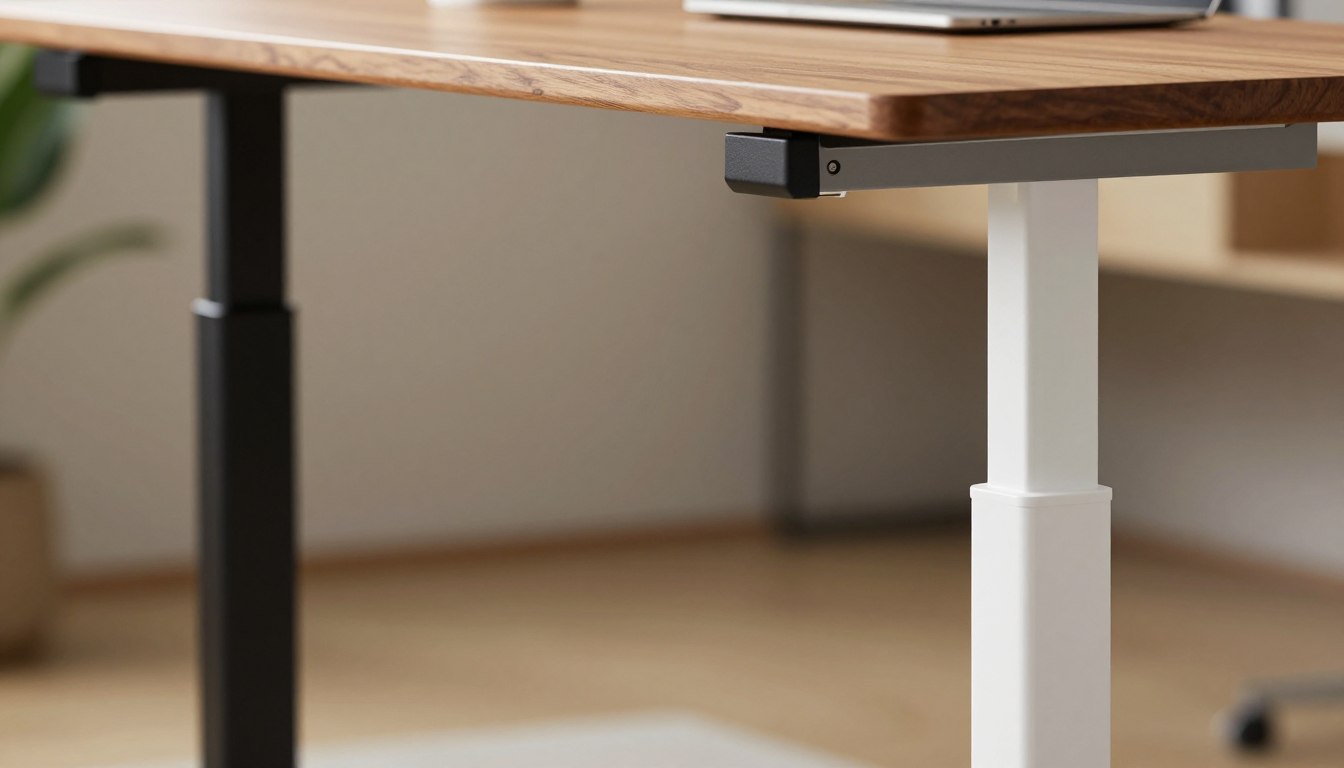
A close-up view of height adjustable desk legs, showcasing a modern design with sleek and sturdy materials. The foreground features two sets of desk legs—one in an elegant black finish and the other in a crisp white, highlighting their adjustable mechanisms. In the middle ground, these legs are positioned beside a minimalist standing desk, with a beautiful wooden surface. Soft, diffuse lighting creates a warm atmosphere, illuminating the textures of the metal and wood. The background is blurred to emphasize the legs and desk while hinting at a stylish office environment with hints of greenery and soft colors. The overall mood is professional, inviting, and inspiring for an office setting.
2.2. Manual Crank Adjustable Desk Legs
Manual crank adjustable desk legs are a budget-friendly choice. They need a crank handle to adjust the desk height.
These legs are great for those who want to save money and are okay with manual adjustments. Make sure the crank is strong enough to handle the desk's weight.
2.3. Pneumatic Gas Lift Desk Legs
Pneumatic gas lift desk legs use compressed gas for height changes. They offer a good balance of ease and cost.
These legs are quieter and smoother than manual crank systems. When choosing pneumatic legs, check their weight capacity and desk size compatibility.
2.4. Fixed Metal Desk Legs for Static Standing Desks
Fixed metal desk legs are for static standing desks that don't change height. They are made from sturdy metals and are a simple, affordable option.
These legs are perfect for those who like a fixed standing position. Make sure they fit your desk's material and size for stability and durability.
3. The Complete Compatibility Checklist for Legs for Standing Desk
Finding the right legs for your standing desk is key. They must fit your desktop well for both looks and function. This ensures your desk works right and lasts long.
3.1. Desktop Size, Thickness, and Material Requirements
First, think about your desktop's size, thickness, and material. Different legs fit different desktops. This is important for your desk's look and how it works.
Desktop Size: Measure your desktop's length and width. Make sure the legs you pick fit it well. Some legs adjust, while others don't.
Desktop Thickness: The thickness of your desktop matters too. Most legs are made for certain thicknesses. Pick legs that fit your desktop's thickness well.
Desktop Material: The material of your desktop also matters. For example, a wood desktop might need different legs than a glass one. This ensures your desk is stable and looks good.
Desktop Material | Recommended Leg Attachment |
Wood | Clamp or Screw |
Glass | Specialized Clamp or Adhesive |
Metal | Welding or Special Brackets |
3.2. Frame Width Adjustment Range and Desktop Fit
The legs' ability to adjust is also key. They should fit your desktop's width well. A desk frame for standing desks that adjusts a lot is more flexible.
Measure your desktop's width and compare it with the legs' adjustment range. Some desks have adjustable frames for different sizes.
3.3. Mounting Hole Patterns and Bracket Systems
The holes on your desktop and the legs' brackets must match. Some legs clamp, while others need holes. Make sure the legs fit your desktop's holes or offer another way to attach.
3.4. Electrical Requirements and Control Panel Compatibility
For electric desks, electrical and control panel needs are important. Make sure the legs' motor and control panel work with your desk's power and needs.
A standing desk conversion kit might have pre-set electrical parts. Always check the specs to avoid problems.
By thinking about these points, you can find legs that perfectly match your desktop. This makes your standing desk stable and useful.
4. Weight Capacity and Stability Requirements
A standing desk's safety and function rely on its weight capacity and stability. It's key to make sure the legs can handle the total weight. This keeps your workspace safe.
4.1. Calculating Total Load and Safety Margins
To find the right weight capacity for your standing desk legs, calculate the total load. This includes the desktop, monitor, computer, and any other items. Add at least 10% to the total weight for safety.
For instance, if your desktop and items weigh 80 pounds, look for legs that can hold at least 88 pounds. This is 80 pounds plus 8 pounds for the safety margin.
4.2. Crossbar Configuration and Frame Reinforcement
The crossbar and frame's strength greatly affect your standing desk's stability. A strong frame with the right crossbars boosts stability and weight capacity. Adjustable desk legs with reinforced frames offer the best support.
When picking legs for your standing desk, choose ones with adjustable crossbars and strong frames. This improves stability and lets you customize your workspace.
4.3. Column Quality and Wobble Prevention
The quality of your standing desk's columns affects its stability and durability. High-quality columns made from durable materials prevent wobbling and ensure smooth height changes. Make sure the legs have features to prevent wobbling, like sturdy bases or anti-wobble plates.
Feature | Importance | Recommendation |
Weight Capacity | High | Calculate total load + 10% safety margin |
Crossbar Configuration | Medium | Adjustable crossbars for flexibility |
Column Quality | High | Durable materials and wobble prevention |
5. Seven Common Mistakes When Selecting Standing Desk Legs
The legs of a standing desk are key to its success. Many people make mistakes when picking them. Knowing these mistakes can help you choose better and make a healthier workspace.
Ignoring Desktop Thickness and Material Compatibility
Choosing the right standing desk legs is crucial. They must fit your desktop's thickness and material. Desktop thickness varies a lot, and wrong legs can cause instability or damage.
For example, a thick desktop might not fit in the leg's clamp. A thin one might not stay put. Also, the desktop material (wood, glass, metal) affects leg compatibility.
Selecting the Wrong Frame Width for Your Desktop
Another mistake is picking a frame that doesn't match your desktop's size. A frame that's too narrow won't support well. One that's too wide might not fit or look good.
Not Accounting for Proper Ergonomic Height Range
Not thinking about ergonomic height can cause discomfort and health problems. It's important to pick legs that adjust for both standing and sitting.
Underestimating Required Weight Capacity
Not considering the weight capacity can make your desk unstable or tip. Think about your desktop's weight and any extra items you'll put on it.
Desk Component | Average Weight | Maximum Recommended Weight |
Desktop (Wood, 1/2 inch thick) | 20-30 lbs | 50 lbs |
Monitor | 5-10 lbs | 20 lbs |
Computer and Accessories | 10-20 lbs | 30 lbs |
Total | 35-60 lbs | 100 lbs |
Forgetting About Cable Management Integration
Cable management is often forgotten when choosing standing desk legs. Good cable management keeps your space tidy and organized.
Purchasing Incompatible Mounting Hardware and Brackets
Buying mounting hardware and brackets that don't fit your desk legs or desktop can cause problems. It can lead to installation issues and damage your equipment.
Knowing these common mistakes helps you avoid problems. When picking standing desk legs, think about desktop compatibility, frame width, ergonomic height, weight capacity, cable management, and mounting hardware. This ensures a smooth setup.
6. Proper Installation and Assembly of Standing Desk Frames
Getting your standing desk frame set up right is crucial. A well-assembled frame means your desk is stable, easy to adjust, and lasts longer.
Tools and Preparation Before Assembly
First, collect all the tools and parts you need. You'll likely require Allen wrenches, screwdrivers, and maybe a rubber mallet. Make sure you have a clean, flat area to work on.
Check out our detailed guide on standing desk installation for more help and tips.
Alignment, Leveling, and Squaring Techniques
To align your height adjustable desk legs correctly, follow these steps:
- Unpack and organize all parts as the manufacturer suggests.
- Place the legs on the desktop holes, making sure they fit correctly.
- Use a level to check if the desk is perfectly flat.
- Make sure the frame is square by measuring diagonally; both sides should match.
Torque Specifications and Secure Fastening
It's important to fasten your standing desk securely. Check the maker's guide for how tight to make bolts and screws.
Component | Torque Specification |
Leg Attachment Bolts | 10 Nm |
Desktop Mounting Screws | 8 Nm |
Crossbar Fasteners | 12 Nm |
A close-up view of a partially assembled standing desk frame on a clean workshop table, showcasing metal legs and cross-support beams. The frame should be depicted in a state of assembly, with tools like an electric screwdriver, screws, and instruction manual scattered around. The foreground captures the intricate details of the frame's joints and fasteners, emphasizing precision and craftsmanship. In the middle ground, a pair of hands in professional business attire should be assembling the frame, illustrating proper technique and care. The background features a softly lit workspace with tools neatly organized on shelves, evoking a mood of productivity and focus. The overall lighting is bright yet soft, ensuring clear visibility of all components without harsh shadows.
Testing Stability and Height Adjustment
After putting it together, test your desk's stability and height adjustment. It should move smoothly and stay steady at different heights.
By following these steps, you'll have a well-assembled standing desk frame. You'll enjoy a fully functional workspace.
7. How to Measure and Verify Proper Fit
To get your standing desk legs to fit right, you need to measure carefully. Making sure your desk frame for standing desk matches your desktop is key. It's important for both looks and stability.
Accurate Desktop Measurement Guidelines
Getting your desktop's measurements right is the first step. Start by measuring its length and width. Use a tape measure to get the exact sizes, noting any odd shapes or blocks.
"Getting your measurements right is crucial. A small mistake can mess up the fit of your metal desk legs."
Determining Your Ideal Height Range
Finding the right height for your desk is important for comfort. Make sure your standing desk legs can adjust to your height preferences.
- Measure your elbow height when standing and sitting.
- Think about the thickness of your desktop and any extra parts.
- Make sure the legs can adjust to your height range.
Matching Frame Width to Desktop Dimensions
The width of your standing desk frame should match your desktop's size. A frame that's too small or too big can cause problems.
Clearance and Spacing Considerations
Having enough space around your desk is important. Make sure there's room between the legs and other furniture or walls.
Ergonomic experts say, "Having enough space around your desk makes working better. It cuts down on clutter and makes moving around easier."
By following these tips, you can make sure your standing desk legs fit well. This will improve both how your desk looks and how it works.
8. Conclusion
Looking for the perfect legs for your standing desk? Our guide can help. We've covered the different types of legs, their compatibility, and the need for weight capacity and stability.
Choosing the right legs is key. Don't overlook the importance of desktop thickness and material. Also, make sure the legs can handle the weight. By following our tips, you'll create a workspace that boosts your productivity and health.
Ready to start your standing desk project? Think about what you need and want. Whether you're upgrading or starting fresh, the right legs can transform your space. Make a smart choice and enjoy a healthier, more versatile workspace.
FAQ
Why is selecting the right legs for a standing desk so important for our comfort?
The right legs for a standing desk are key to a good ergonomic setup. If the legs don't fit our height or the weight of our stuff, our desk shakes and our posture suffers. High-quality ergonomic desk legs from brands like Uplift Desk or Fully Jarvis keep our monitors steady and our arms at 90 degrees. This helps us stay focused and pain-free all day.
Can we use any desktop with a standalone standing desk frame?
Most desktops work, but we need to check the material and thickness first. A standing desk frame needs a solid base to hold onto. So, solid wood, thick plywood, or high-quality MDF is best. Thin tops, like some IKEA options, might not be strong enough for adjustable desk legs.
What are the benefits of choosing electric height adjustable desk legs over manual ones?
Electric height adjustable desk legs make changing positions easy with just a button. Models from FlexiSpot even remember our favorite heights. While manual cranks save money, electric motors help us switch more often. This boosts the health benefits of our desk.
How do we calculate the weight capacity we need for our metal desk legs?
First, weigh our desktop and add the weight of our monitors, computer tower, and standing desk accessories. Always add 20% extra. For example, if our total weight is 150 pounds, look for metal desk legs that can handle 180 to 200 pounds. This ensures smooth operation without strain.
What is a common mistake to avoid when installing a desk frame for a standing desk?
A big mistake is not adjusting the frame width properly. If we don't center the desk frame for standing desk or align the brackets right, our desk will wobble. Always measure twice and use a level to ensure the legs are straight and square.
How do we determine the ideal height range for our adjustable desk legs?
Measure your elbow height while standing in your work shoes. Your adjustable desk legs should go low enough for sitting and high enough for typing comfort. If you're very tall or short, look for three-stage telescoping legs for more movement.
Do we need a crossbar for our standing desk frame to remain stable?
It depends on the design. Modern standing desk frame kits often use strong steel and wide footings for stability. But, a frame with a crossbar or "wedge" design can help with extra-heavy or large desktops, reducing side-to-side motion.